
For when you're gone.

Signet is an encrypted vault for the people you leave behind. Passwords, documents, crypto seeds, a last letter. Everything they'll need is locked inside a single file. When you're gone, the people you trust come together and unlock it. No servers. No subscriptions. No company in the middle.

Free · Source-available · Windows & macOS

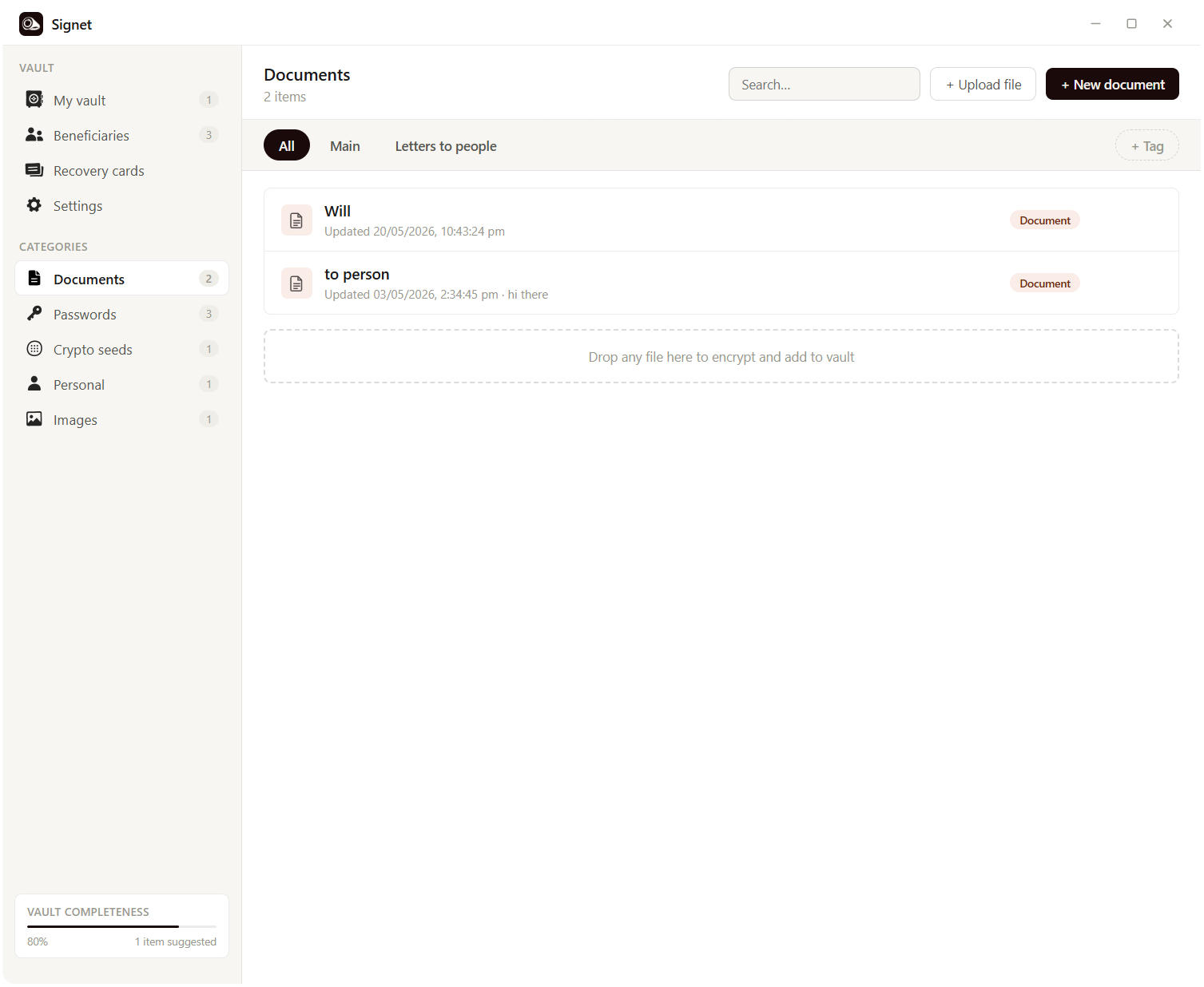
Signet vault browser

The ring, digitised.

Signet takes its name from one of history's oldest instruments of identity and trust: the signet ring. For thousands of years, a signet ring was the most personal object a person owned. Pressed into hot wax, it left a mark that was uniquely yours. Proof of authorship, proof of authenticity, proof that something came from you and nobody else.

When a pope or nobleman died, their signet ring was ceremonially broken or defaced with a hammer, so that no document could ever be forged in their name again. It was the definitive act of closing one chapter and beginning the handover.

That moment, the broken signet, is exactly what this app is built for. The seal you leave behind. The mark that says who you were, what you owned, and who you trusted.

Signet is that ring, digitised. Everything that matters to you, pressed into a single encrypted vault, waiting for the people you love to open it when the time comes.

How it works

You create a vault on a USB stick or your computer. Inside it goes everything the people you love would need if something happened to you: the password manager, the documents, the seed phrases, the letters. The whole file is encrypted with a key only you know.

Then you split that key. Signet uses Shamir's Secret Sharing to break it into shards. Say, five pieces where any three can reconstruct it. You hand a shard to each person you trust: your partner, your sibling, your lawyer, an old friend. A single shard reveals nothing. No one of them can betray you, and no one of them losing it ends the world.

When the day comes, they come together. They put their shards into Signet, the key reforms, the vault opens. That's it. No company to call. No account to recover. No subscription that lapsed.
Your vault is yours. Always.

Signet has no servers. No accounts. No cloud sync. No analytics. Nothing phones home. The vault is a single .sgt file on a drive you control, encrypted with Argon2id and XChaCha20-Poly1305, the same primitives banks and Signal use.

That also means the responsibility is on you. Keep the file backed up. Hand out the shards. Tell your people where the vault lives and what to do. Signet makes the tools airtight. The plan is yours to make.

What's inside

One encrypted file

Everything lives inside a single .sgt file. Copy it to a USB stick, a home server, a safe deposit box. As portable as a photo, as locked as a bank vault.

Shamir key splitting

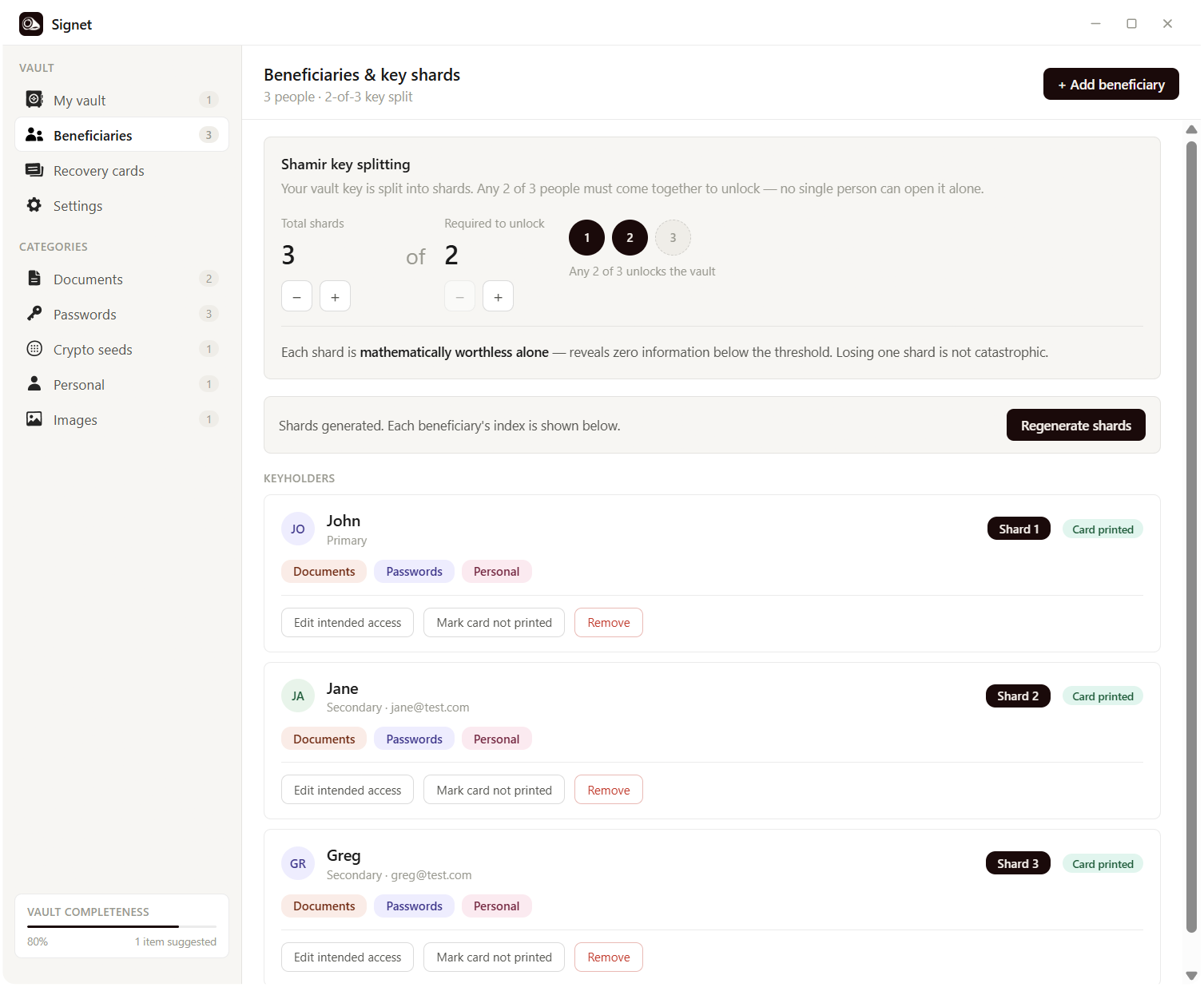
Your master key is split among trusted keyholders. Any K-of-N reconstruct it. A single shard reveals nothing. No single point of failure, no single point of betrayal.

Recovery cards

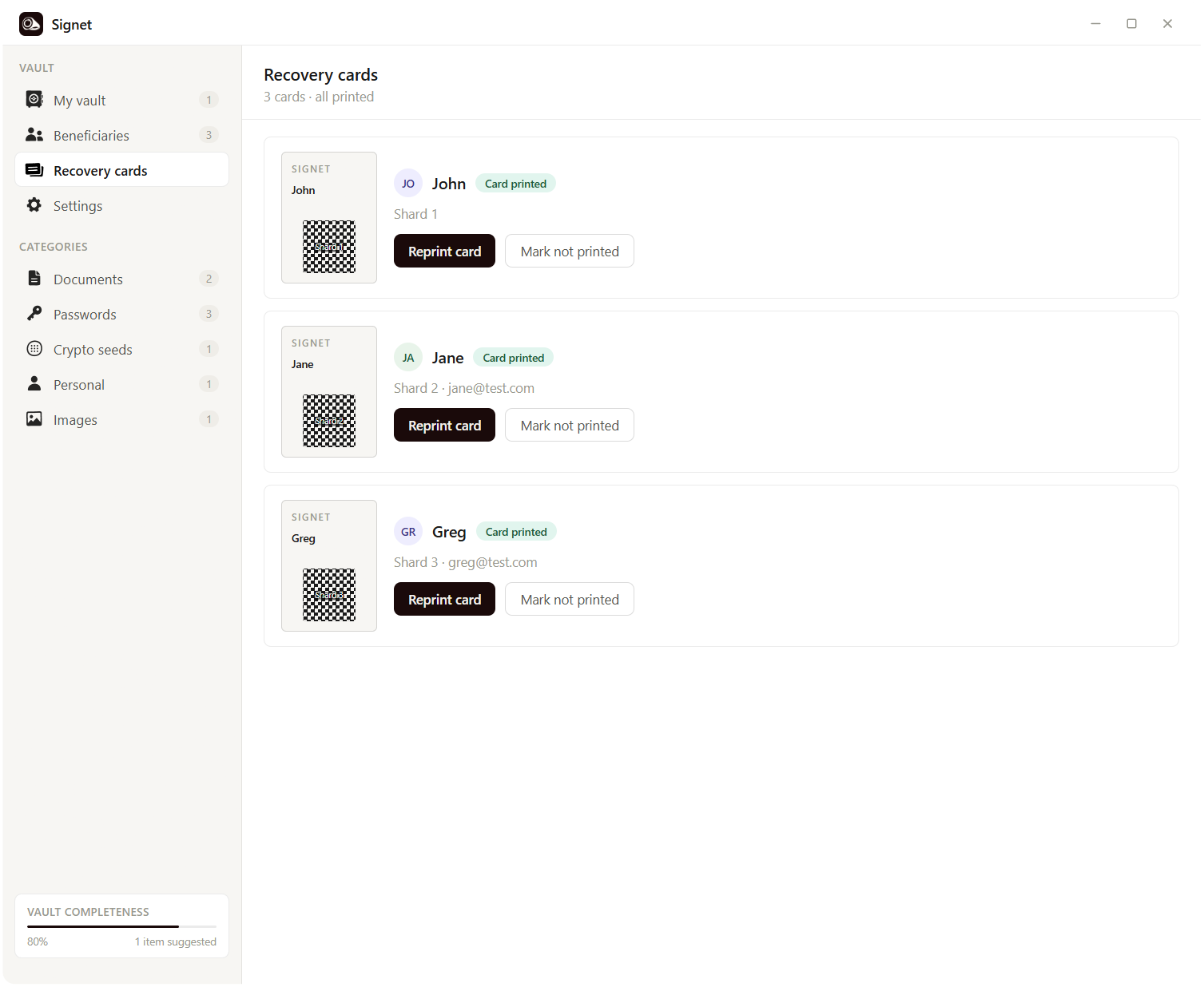
One-page PDFs for each beneficiary. Their shard as a QR code, instructions in plain English. Print them, hand them out, done.

Password manager

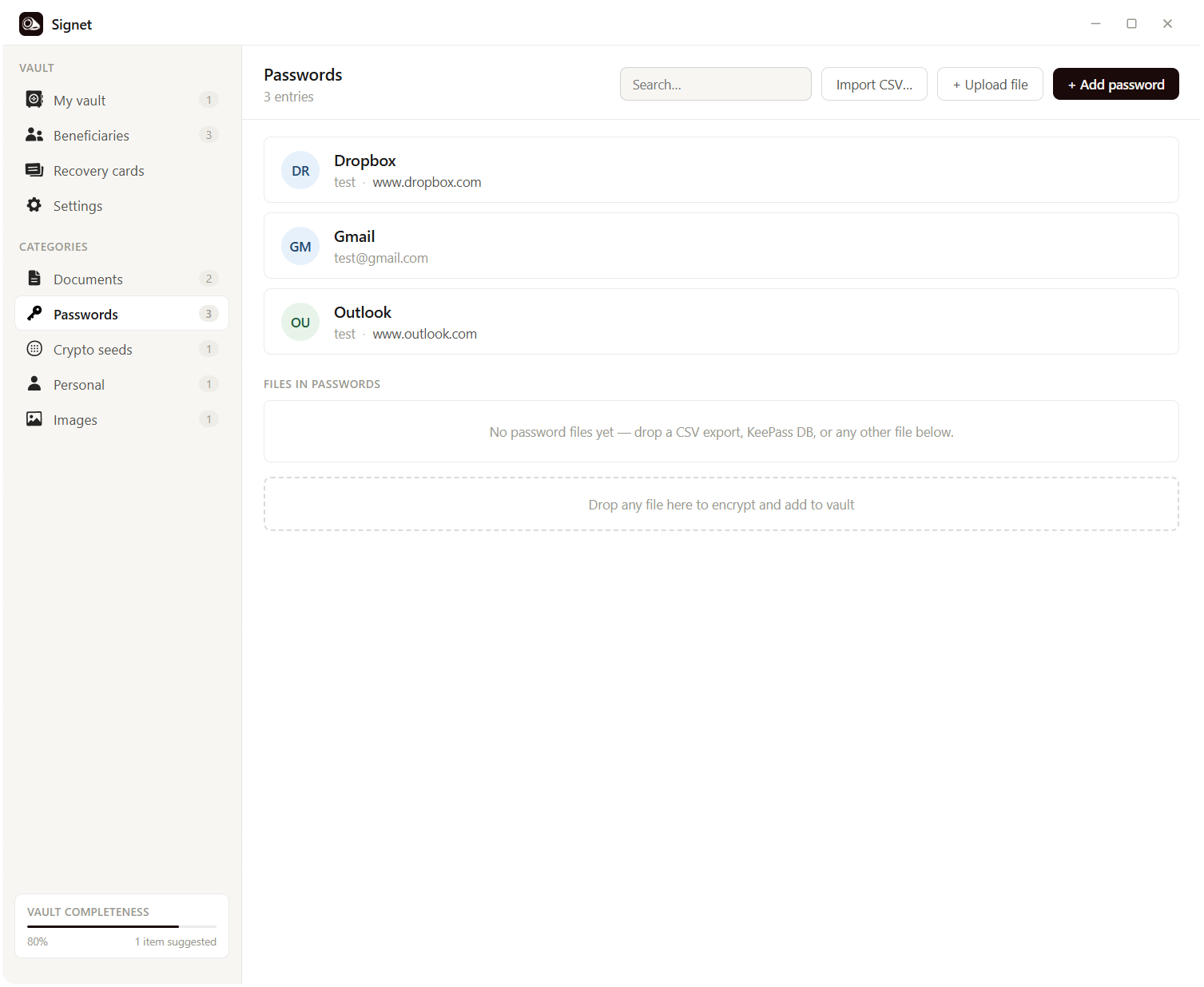
Structured password entries with categories, search, and CSV import from Google, Bitwarden, or 1Password. Everything in one place, locked behind one key.

Documents & letters

Rich-text documents for wills, instructions, last messages. Export to PDF, HTML, or Markdown when you need to. Tag and search like you would in any modern editor.

Crypto seeds & files

Structured entries for wallets and seed phrases. Drag-and-drop any file: images, documents, anything. The vault doesn't care what's inside, only that it stays sealed.

Portable

A single Signet.exe runs straight from a USB drive. No install, no admin rights, no traces on the host machine. Put the app and the vault on the same stick and you're done.

Hardware key 2FA

Any FIDO2 key (YubiKey, Google Titan) as an optional second factor. Your password alone isn't enough — they need to physically tap the key too.

Source-available

The whole codebase is public. Read it, audit it, build it yourself. Crypto you can't inspect is crypto you can't trust.

New

Hardware key 2FA

Signet now supports any FIDO2 security key — YubiKey, Google Titan, and others — as an optional second factor on your vault. When enabled, your master password alone isn't enough to unlock it. You also have to physically tap the key. The key's secret never leaves the device, so even someone who steals your laptop and knows your password can't get in without holding the physical key in their hand.

Setup takes about ten seconds in Settings > Hardware key. And losing the key doesn't lock you out forever: your Shamir recovery cards still work without it, so your beneficiaries can always reconstruct the vault if something happens to you. We recommend buying two keys and registering both — one for daily use, one as a spare in a drawer.

A few things you'll find

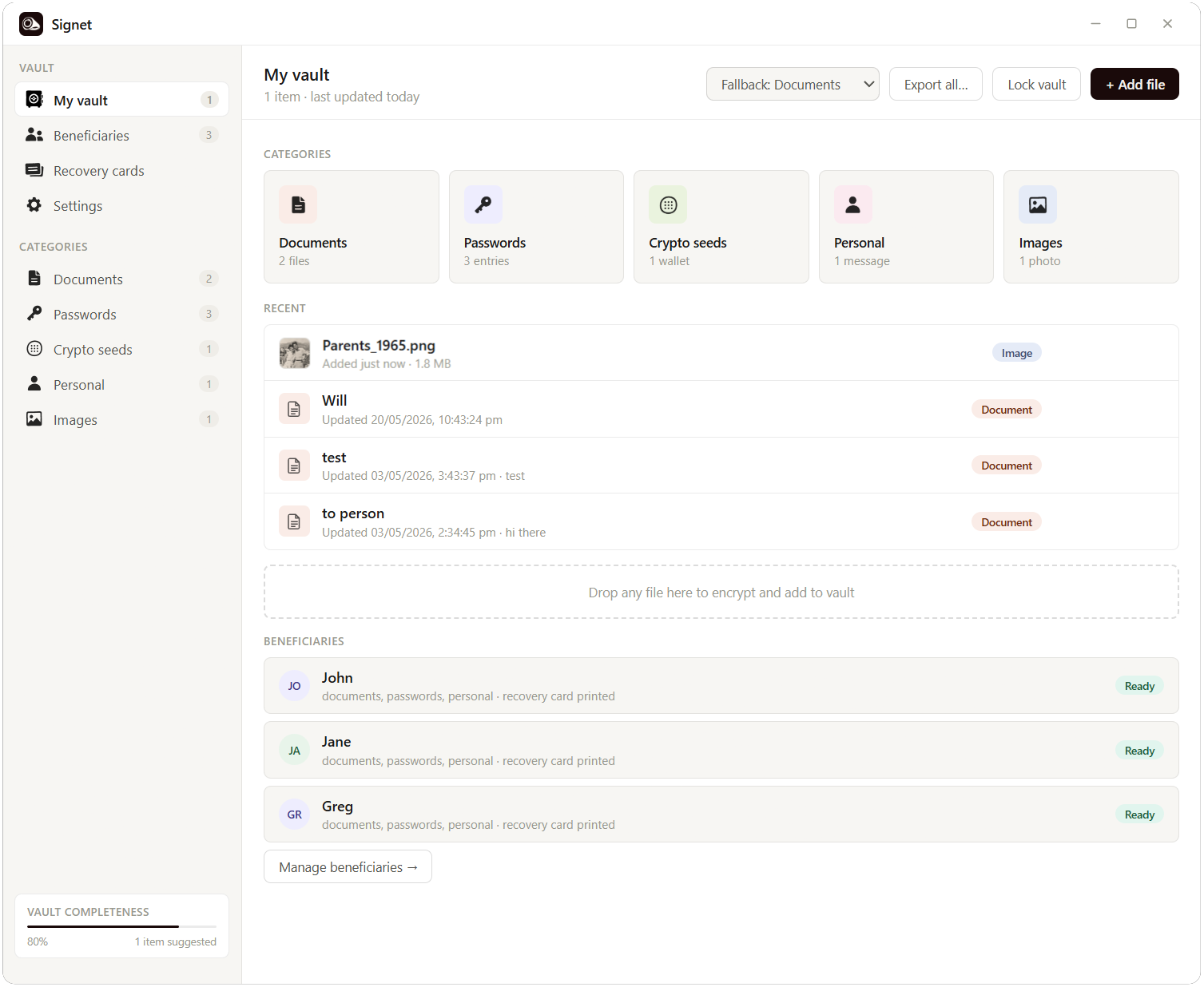
My Vault
My Vault. Everything you've put in, at a glance.
Passwords
Passwords. Structured, searchable, import from anywhere.
Documents
Documents. Wills, instructions, last letters. Rich text in, PDF out.
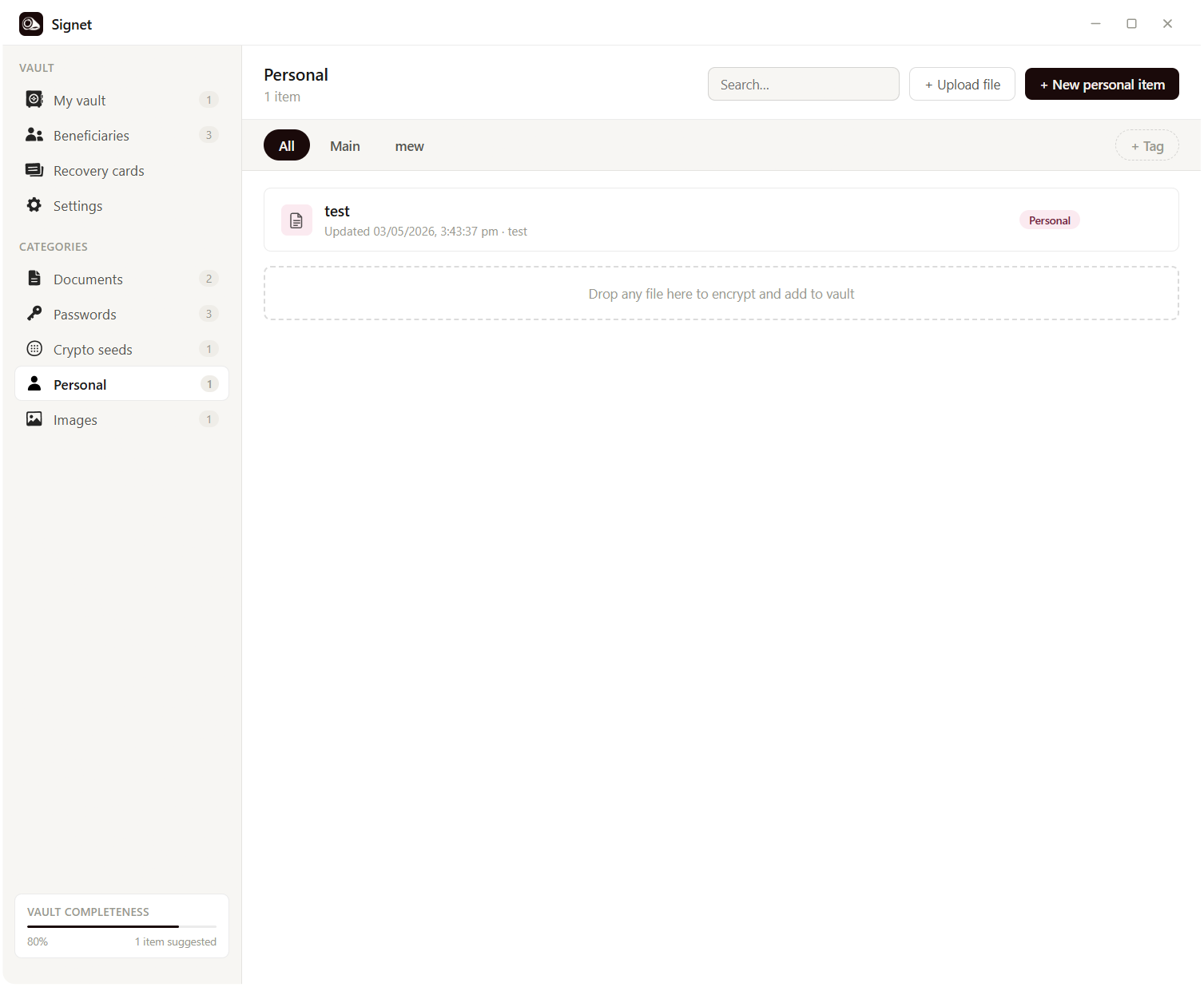
Personal
Personal. The notes, memories, and messages that won't fit anywhere else.
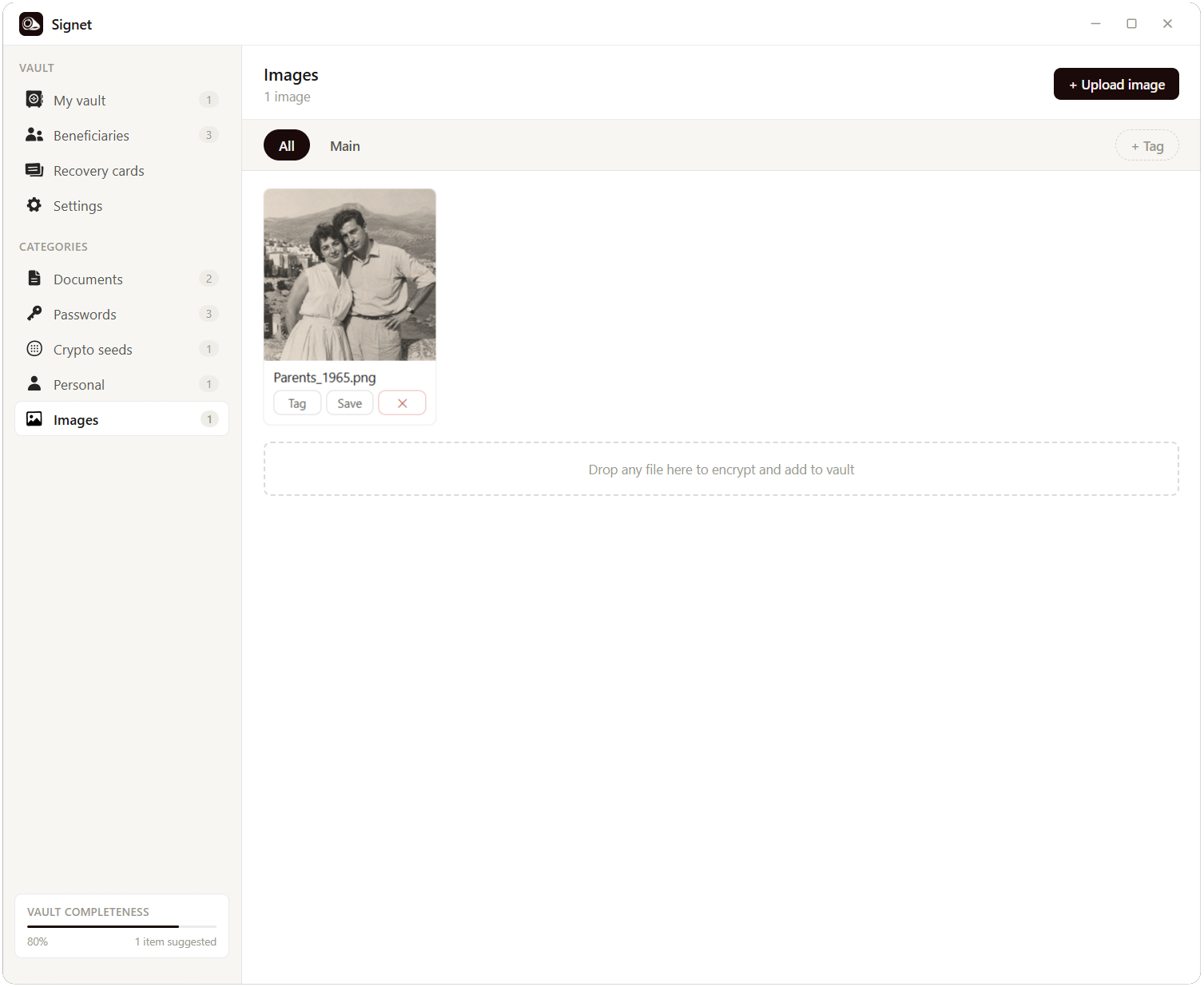
Images
Images. Photos, scans, anything visual you want to leave behind.
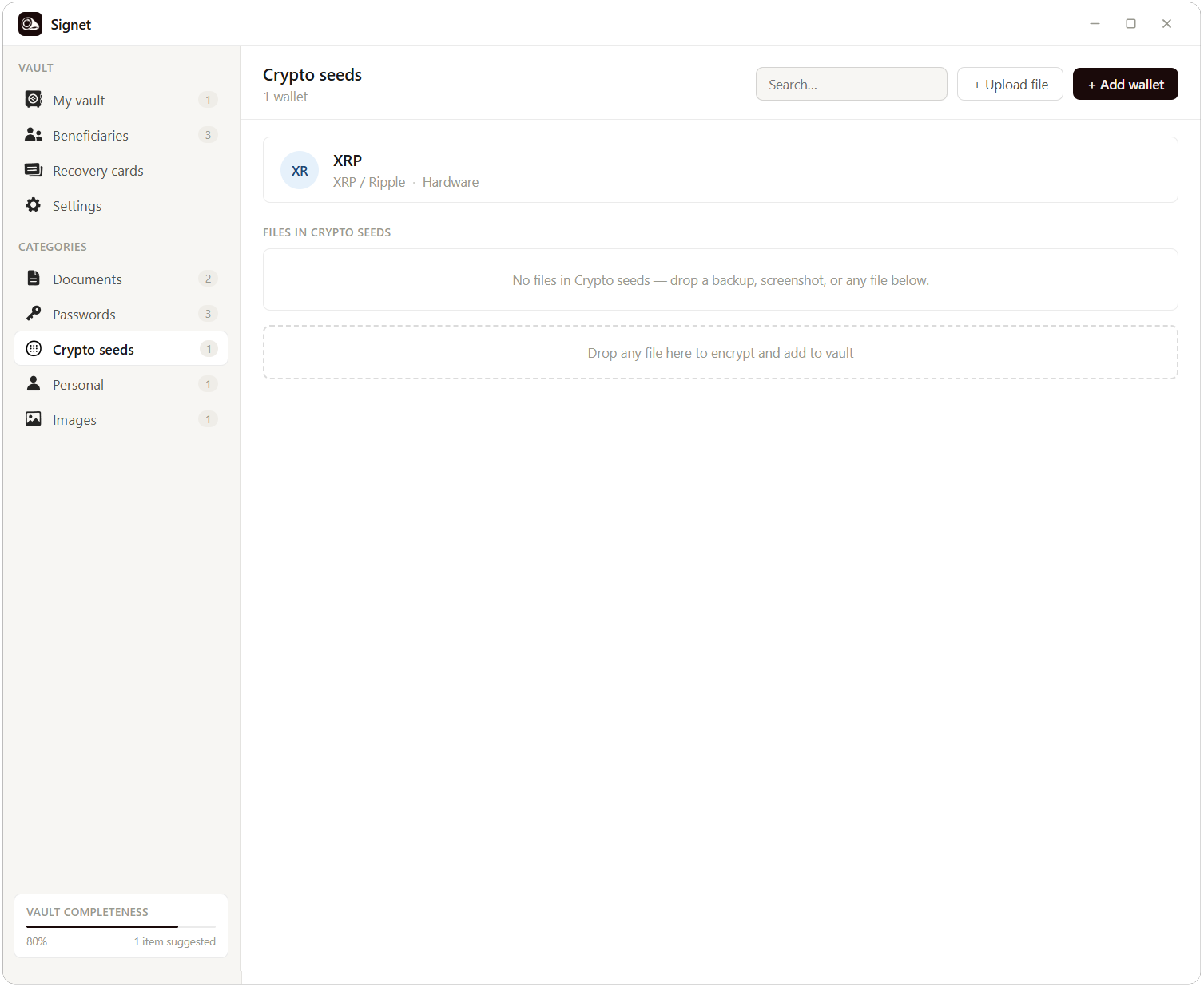
Crypto seeds
Crypto. Wallets and seeds, locked the way they should be.
Beneficiaries
Beneficiaries. The people who'll come together when it matters.
Recovery cards
Recovery cards. One sheet of paper per person. QR + instructions.
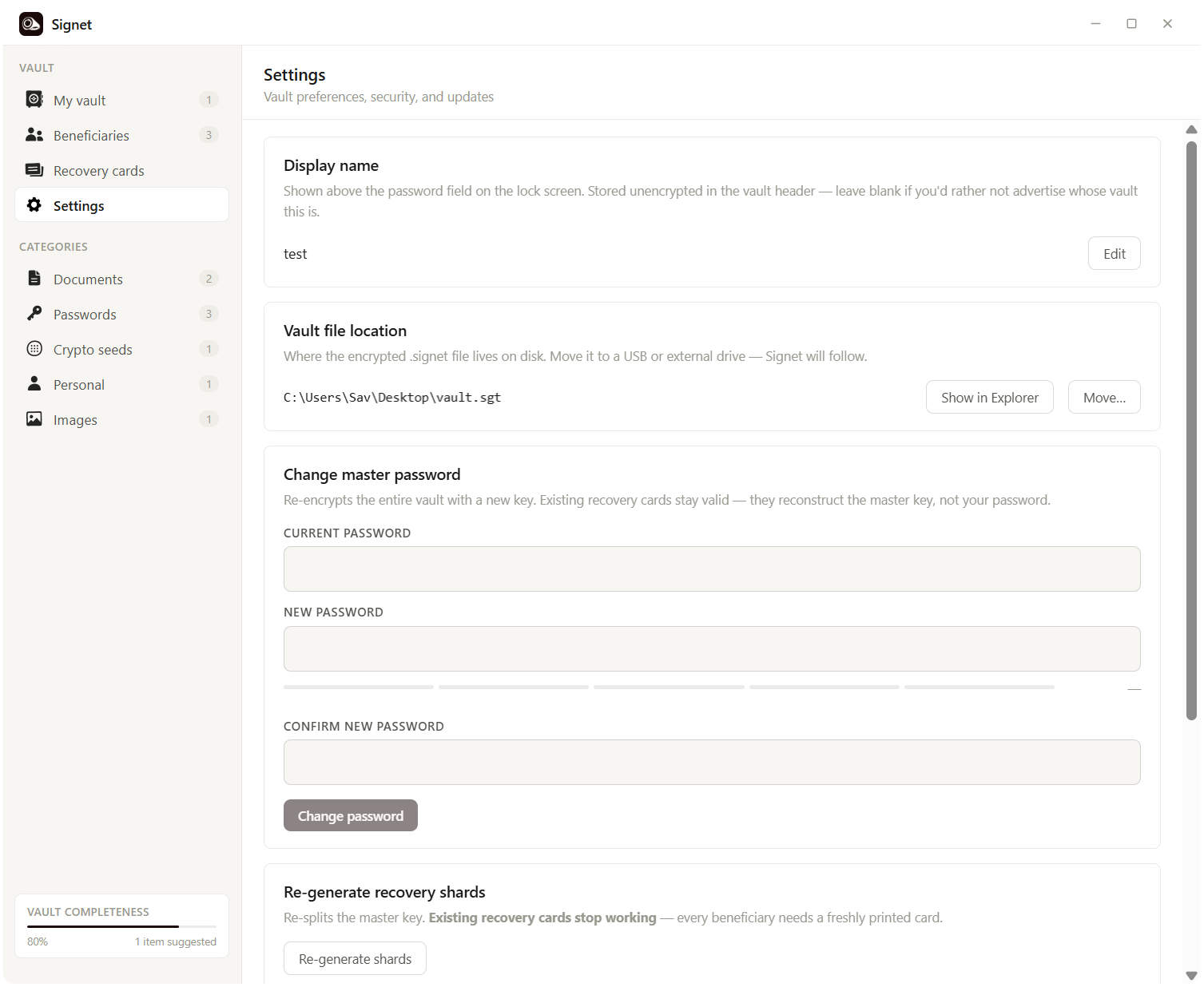
Settings
Settings. Change passwords, move vaults, regenerate shards.

Download

It's free. No account, no sign-up, no tracking. Just download and go.

First time installing? Your OS may show a security warning.

Windows

SmartScreen may say "Windows protected your PC."

  1. Click More info on the blue warning.
  2. Click Run anyway.

macOS

The first launch shows: "Signet is an app downloaded from the internet. Are you sure you want to open it?" Apple has already checked it for malicious software.

  1. Open the downloaded .dmg and drag Signet into the Applications folder.
  2. Open Signet from Applications.
  3. Click Open in the dialog.

Signet isn't code-signed yet. Those certificates cost money I haven't spent. The source is public, so you can read every line and verify it yourself.

See the full release list for checksums and older builds.